
# Import Hands
You can upload your hand history, and a ranges tree of your actual preflop play will be built from it. This way you can visually analyze your entire preflop game.
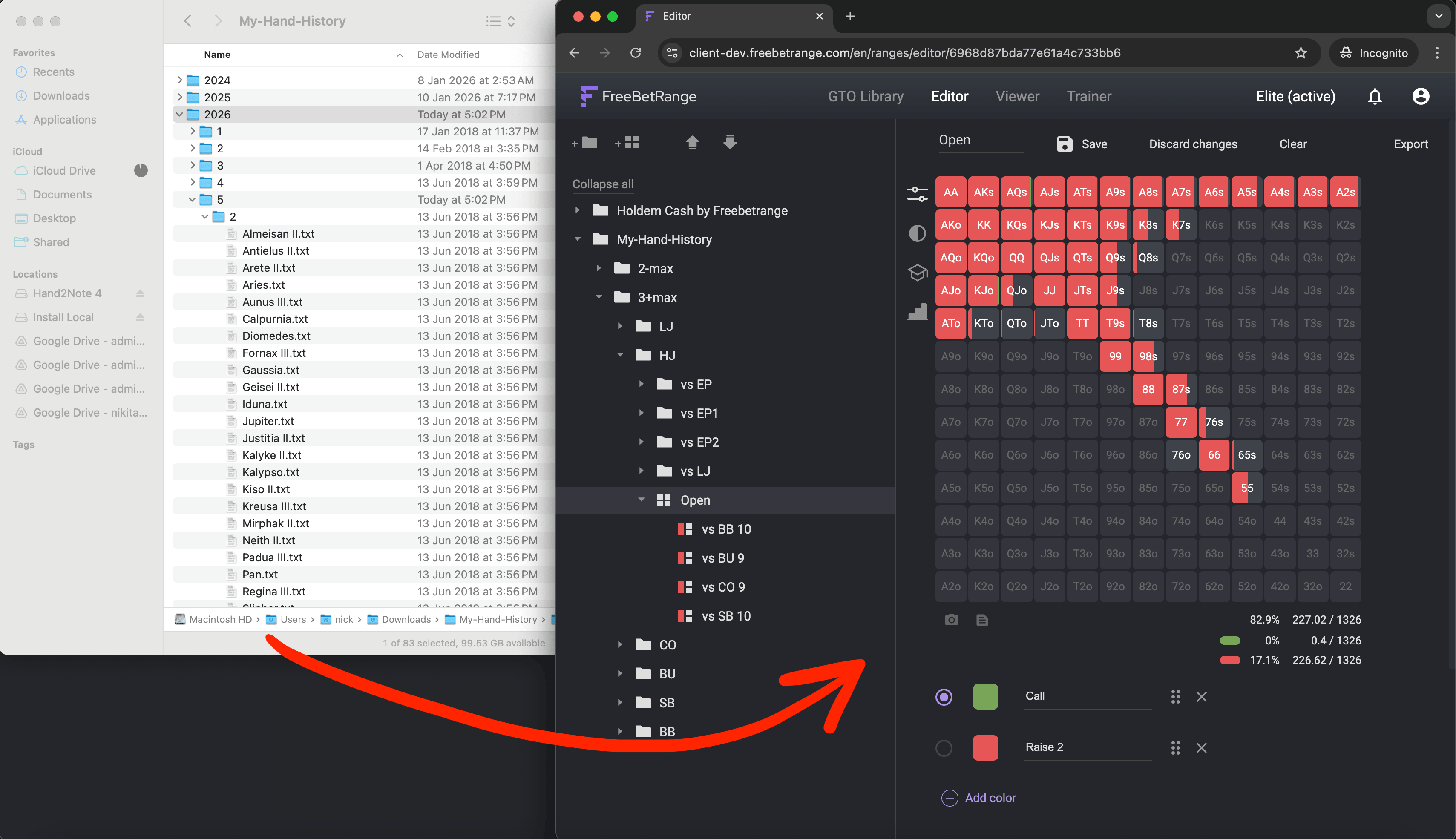
The hand upload feature is available with the Elite subscription.
# 1. Prepare your hand history
First, you need to prepare your hand history. You can export your hands from a tracker (e.g., Hand2Note (opens new window)) or request them directly from your poker room.
The final file must be a .zip archive. The archive can contain any number of folders and .txt hand history files.
You can upload an archive of up to 200 MB at a time.
# 2. Upload hands to Freebetrange
Once your archive is ready, you can proceed with uploading it to Freebetrange.
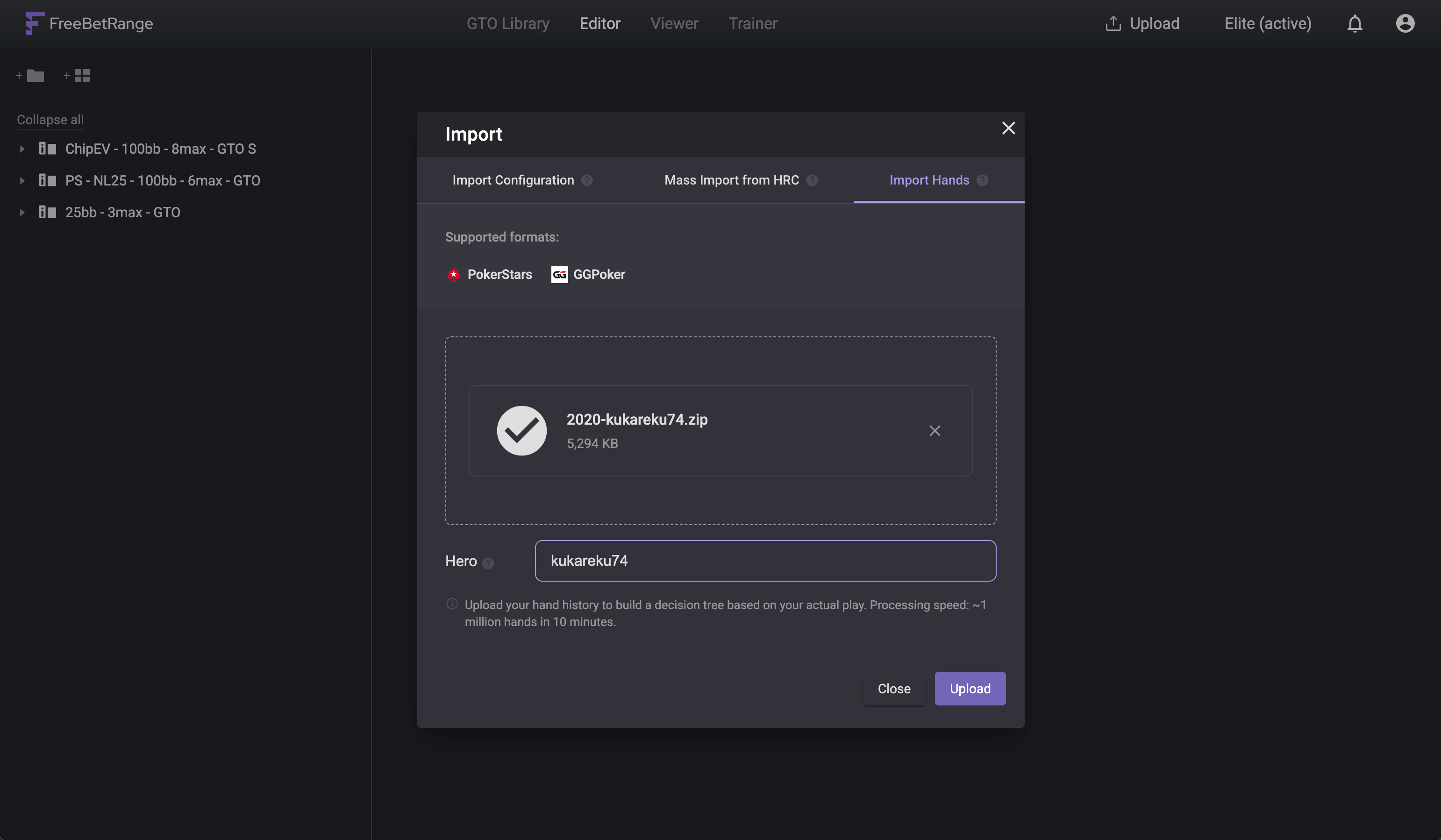
- Click on
Uploadin the top panel, and select theImport handstab in the opened window. - Drag and drop your archive into the file upload zone.
- Enter your nickname in the
Herofield (make sure you enter it correctly). - Click
Upload. - Wait for the processing to complete.
The processing speed is approximately 1 million hands per 10 minutes. Once the processing is complete, you will see a pop-up message confirming a successful import. You will need to refresh the page to see the results.
# 3. Analyze your preflop strategy!
Now you have a preflop strategy tree built from your hands. In situations where there is enough data, you will see actual ranges (the more data, the more accurate the range).
In situations where there are too few hands, it is mathematically impossible to reproduce the range itself visually. However, you can still see the matrix of all the hands you played in that situation.
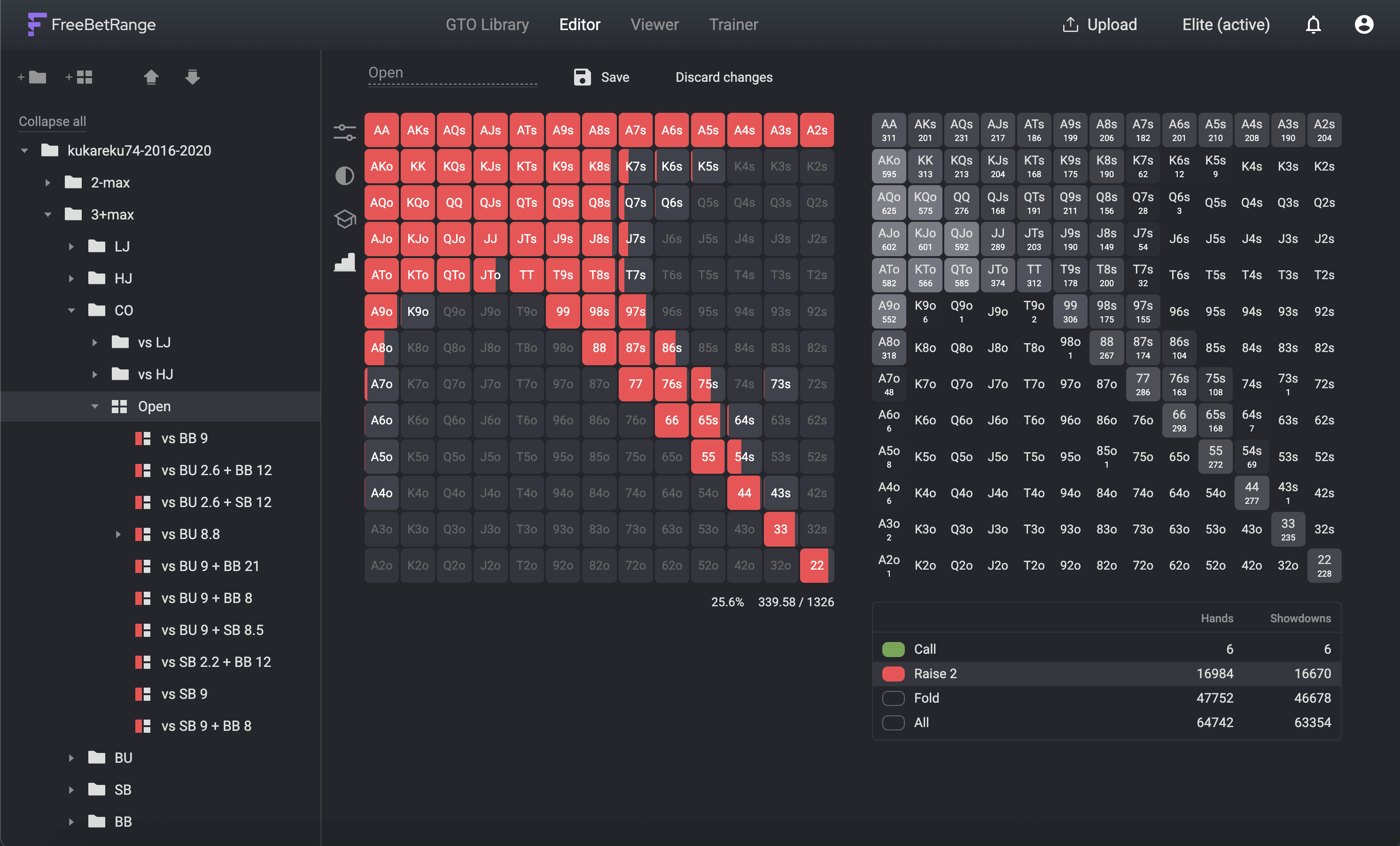
You can use your strategy in any of the Editor, Viewer, and Trainer sections.
Feedback Welcome
The hand import feature is experimental and will continue to be developed and improved in the future. If you would like to share your feedback or suggestions for improvement, please contact us — it's very helpful for the product development. Thank you!